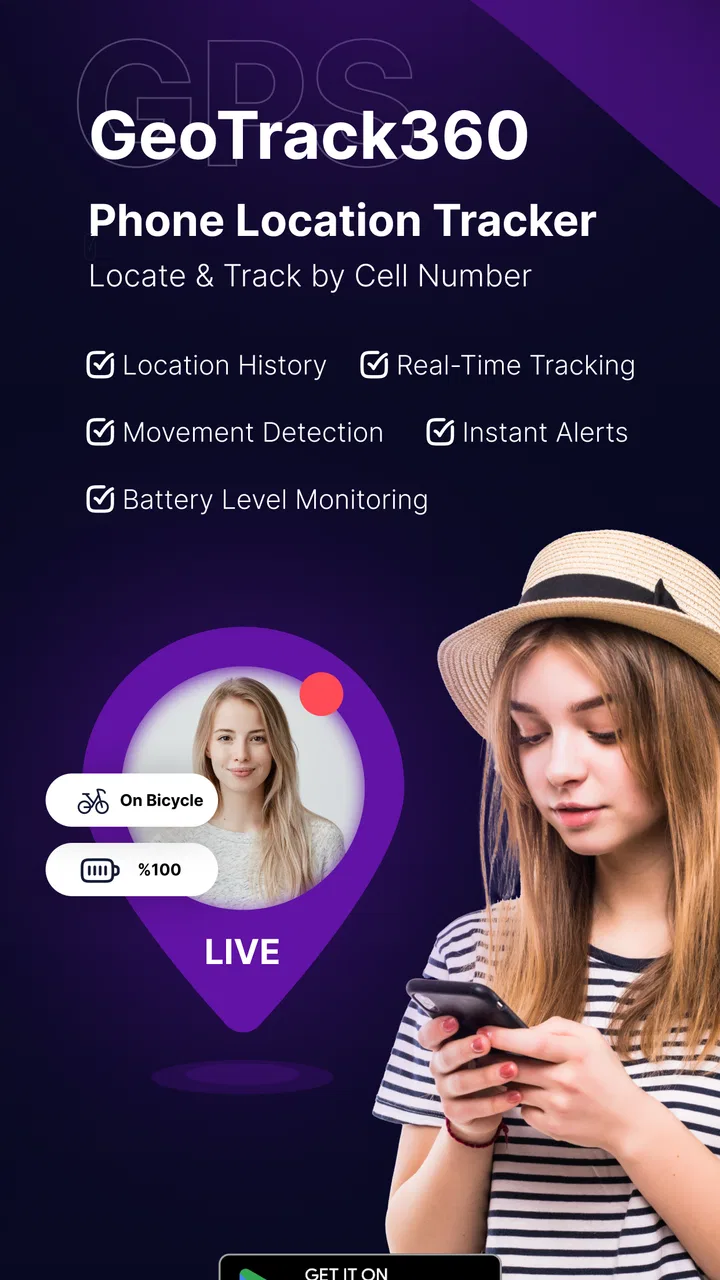
Phone Tracker & GPS Location
- 4.4
- Rating
- 1.00M
- Installs
- Free
- Price

 Analysis by App-foxy
When a family member is late, a teenager is travelling across town, or someone has borrowed a phone and forgotten to say where they went, a location app can feel genuinely useful. I tested Phone Tracker & GPS Location with that everyday problem in mind, rather than treating it as a novelty map. Its main appeal is straightforward: it is a parenting-focused app built around viewing a phone’s location on a map, with the developer GPS Tracker & Location Tracker & Phone Tracker LAB presenting it as a way to keep track of family and friends.
My first impression is that this is best understood as a coordination tool, not a substitute for conversation or a guarantee of safety. The app can help people answer “Where are they?” more quickly, but the value depends on the other person’s phone, consent, connectivity, and willingness to participate. That distinction matters, especially in a household where several people share devices or where a parent is trying to balance reassurance with a child’s growing independence.
How Phone Tracker & GPS Location fits into a shared household
The most convincing use case is a family that needs occasional location awareness without turning every movement into a formal check-in. Imagine a parent finishing work while a child is travelling home from school or an activity. Instead of sending repeated messages such as “Have you left?” and “How far away are you?”, the parent can use the map as a quick reference. If the child is delayed, the map may help explain whether they are still on the usual route or have reached the meeting point.
You May Also Like

 Blood Strike: 2.5 Anniversary
Blood Strike’s Loadouts Turn Every Drop Into a Tactical Gamble
A close look at Blood Strike’s custom loadouts: how fast access to signature weapons reshapes its battle royale rhythm, rewards preparation, and narrows the gap between fights.

 Pandora - Music & Podcasts
Pandora’s Music Is Easy to Start, but Harder to Recover
Pandora’s strength is its low-effort path from a seed to a station. Its weak spot is how much confidence it asks you to place in connection, setup, and quiet recovery.

 8 Ball Pool
 Is Built on Rivalries, Rematches, and Routine
A close look at the rivalries, rematches, shared routines, and unanswered safety questions that turn a quick pool match into a persistent mobile community.

 Samsung Music
’s Quiet Strength Is Playing What You Already Own
Its reach comes less from spectacle than from dependable access to a personal library. That simplicity is both the app’s strongest retention engine and its ceiling.

 AccuWeather: Weather Radar
AccuWeather Review: A Quick, Clear Forecast for Everyday Decisions
For everyday plans, the best forecast is the one you can understand quickly. AccuWeather makes rain timing, radar, and local conditions easy to act on, with a few trade-offs.

 Hill Climb Racing
Why Hill Climb Racing Still Turns Crashes Into One More Run
A tiny car, a bumpy hill and one more upgrade: Hill Climb Racing keeps resurfacing because its simple chaos makes every near-miss feel personal.
More From Our News Desk



I also found the shared-device angle important. Many homes have an older phone used by a child, a spare handset carried during outings, or a device that moves between family members. In that situation, the phone’s location may be more useful than trying to identify a person from a name alone. The practical question becomes, “Who has this particular phone right now?” That makes the app suitable for household coordination, but it also means the account and device arrangement should be clear before anyone relies on the map.
For friends, the same idea works during a group event. One person can check whether another has arrived in the general area instead of making everyone stand around exchanging messages. I would not use it as the only plan for a crowded venue or an unfamiliar trip, but it can reduce unnecessary back-and-forth when people are already travelling together.
The app is free to install, which lowers the barrier for trying it with a household device. It also carries an Everyone content rating, so its presentation is not aimed at a mature-only audience. That does not remove the need for adult judgement: an age label describes the app’s content, not whether a particular tracking arrangement is appropriate for every family.
What the map is good at, and what it cannot replace
The map is most helpful when the question is about coordination rather than surveillance. It can give a parent a quick sense of whether a phone is near home, at school, or somewhere unexpected, assuming the location is being shared and the phone is reporting properly. It is less useful as proof that somebody is safe at that exact moment. A map marker can be delayed, inaccurate, or tied to a phone that is no longer with its owner.
That is why I would pair the app with simple household rules. A child might agree to send a message when leaving an activity, while the app provides a backup view if the timing becomes unclear. For a shared phone, everyone who may carry it should know that its location is being used for coordination. These small agreements prevent the tool from becoming a source of avoidable arguments.
The strongest benefit is reduced uncertainty, not constant observation. Used that way, Phone Tracker & GPS Location has a clear role. Used as a replacement for trust, it becomes much less comfortable and much less reliable.
Setting it up without creating account confusion
The setup deserves more thought than simply installing an app and opening a map. Before using it, I would decide which phone is being tracked, who is allowed to see its location, and whether the device belongs to one person or is shared. That sounds obvious, but household tracking becomes messy when a parent’s phone, a child’s phone, and a spare handset are all treated as if they were interchangeable.
Start with one clearly identified device. Give it a practical label that describes the handset rather than making a permanent judgement about its user. For example, a label based on the phone or its role is less confusing when the device is passed between siblings. If a child replaces the phone temporarily, update the arrangement rather than assuming the old device still represents the same person.
I would also test the arrangement at home before relying on it during a journey. Check whether the correct device appears, whether the map is understandable, and whether the people involved know what they are looking at. A short trial exposes problems early: the wrong phone may be selected, a shared handset may be left behind, or someone may assume that a visible marker means live movement when it does not.
Account boundaries matter just as much. A parent should avoid casually mixing a child’s tracking setup with unrelated personal accounts or a partner’s device. The fewer people and devices involved at the beginning, the easier it is to understand who is connected to what. If several family members need access, I would introduce them one at a time and verify each device before expanding the arrangement.
The app’s current version is 2.9, and it runs on Android starting with version 7.0. That makes it relevant for many older household phones that are no longer suitable for demanding games or modern social apps. Still, an older handset may have weaker battery performance or less dependable location hardware, so compatibility with the operating system should not be confused with equally good tracking results on every device.
Practical boundaries before the first trip
There are a few habits I consider essential. First, tell the person carrying the phone what the app is for. Second, agree on when location sharing is useful, such as during a commute or family outing, instead of treating it as an invisible background expectation. Third, decide what happens when the phone is handed to somebody else. These rules are especially important with a shared device because the map may identify the handset correctly while still giving the wrong impression about the person carrying it.
I would also avoid making a location check the first response to every missed message. Phones lose signal, batteries run down, and people sometimes put a device in a bag or leave it charging. A sensible workflow is to try a call or message, check the map for context, and then use the agreed emergency or family contact plan if concern remains. The application can support that process, but it should not become the entire process.
Privacy is another setup issue rather than an afterthought. The most respectful arrangement is one where the tracked person knows the purpose and the viewer understands that the app is not an excuse to inspect every stop. With younger children, parents may reasonably take more responsibility for the arrangement. With older children and teenagers, explaining the limits and listening to objections is more likely to produce a workable routine than silently imposing one.
Using location information for calmer coordination
Once the household arrangement is clear, the app is easier to use well. I like the idea of checking the map at specific coordination points: before leaving for a pickup, when a meeting time has passed, or when a group is trying to reunite. This keeps the tool focused on decisions that need location context instead of encouraging constant refreshing.
A realistic example would be a parent collecting two children from different activities. One child may be walking toward the agreed pickup spot while the other is still at practice. Rather than circling the area or sending several messages, the parent can use the map to decide which stop makes sense first. If the device is shared between siblings, the parent must remember that the marker follows the phone, not necessarily the child expected to have it.
Another useful situation is an elderly relative carrying a family phone during a short outing. The app may help relatives coordinate a meeting point if plans change. I would still explain the arrangement clearly and keep a direct phone call available. A location map can show where to look for the handset, but it cannot explain why the person stopped, whether they need help, or whether the phone is in a vehicle, a building, or somebody else’s possession.
For friends, the benefit is similar but usually more temporary. A group heading to a festival, sports ground, or restaurant might use the app to reduce the number of “Where are you?” messages. The trade-off is that every participant needs to understand the sharing arrangement. If only one person expects continuous visibility while others assume the app is being used for a single meetup, frustration is almost guaranteed.
Three habits that make the app more useful
The first is to create a check-in routine around events, not around anxiety. For example, agree that the person travelling sends a quick message when departing, while the map is used only if the expected arrival window changes. This gives the location view a defined purpose and prevents it from becoming a substitute for ordinary communication.
The second is to interpret the marker cautiously. If it appears to remain in one place, do not immediately conclude that the person is ignoring messages. The phone could be indoors, stationary in a vehicle, low on power, or separated from its owner. Treat the map as a clue that helps guide the next question, not as a complete account of someone’s actions.
The third is to review shared-device ownership after each change in routine. When a child starts using a different handset, a sibling borrows the phone, or a family member leaves for a trip, update the household agreement. This is a non-obvious but important weakness of phone-based tracking: the technology can remain technically connected while the real-world meaning of the device has changed.
These habits also answer a common concern: does the app replace a family safety plan? In my view, no. It can make coordination faster, but a family still needs phone numbers, meeting points, emergency contacts, and a clear response when somebody cannot be reached. The app belongs in that plan as one layer, not as the whole safety net.
Age, trust, and the limits of parental tracking
Because this is listed in the Parenting category, it naturally attracts parents looking for reassurance. I can see why. Younger children may carry a phone mainly so adults can coordinate pickups, and a map can be less disruptive than repeated calls. The Everyone rating also makes the app approachable from a content perspective, but parents should make the final decision based on the child’s maturity and the family’s relationship.
For a young child, an adult may manage the device and explain that its location helps with pickups and unexpected delays. For a teenager, the conversation should be more collaborative. A teenager who understands when the location is viewed is more likely to treat the app as a practical household tool. A teenager who feels watched without boundaries may disable the phone, leave it behind, or stop trusting the arrangement, which defeats the purpose.
I would not recommend using this app to monitor a partner, a friend, or an older child secretly. Even when the technical setup allows a location to appear, that does not make hidden tracking a healthy use. The app works best when the people involved know the arrangement and can question it. That is particularly important with a shared phone, where the person carrying the device may not be the person who originally agreed to tracking.
There is also a difference between knowing a location and understanding a situation. A child may appear to be at school but be waiting outside, or a phone may appear at home while its owner is elsewhere. Parents who need detailed safety automation, formal guardianship tools, or broader family-management features may prefer a dedicated family-service platform with controls designed specifically for those needs. Phone Tracker & GPS Location is more focused: it gives location-oriented utility rather than solving every parenting problem.
That focus can be an advantage for someone who wants a simple map-based arrangement. It can also be a limitation for households expecting extensive controls. I would skip it if the main requirement is a complete digital wellbeing system, detailed device administration, or a highly structured child-safety dashboard. In those cases, a broader parental-control product may be a better match, even if its location view is less direct.
Cost, expectations, and my household verdict
Phone Tracker & GPS Location is free to download, with optional in-app purchases ranging from $5.99 to $49.99 per item. For me, that makes the sensible approach clear: begin with the free experience and decide whether it fits the household before paying for anything. I would not treat an upgrade as a solution to unclear consent, a misplaced phone, weak communication, or unreliable device habits. Those are arrangement problems, not purchase problems.
The app has reached more than one million installs and holds a 4.3 average from roughly 165 thousand ratings. Those figures suggest that the basic idea resonates with a substantial Android audience, but popularity does not remove the need to check whether its focused approach suits your family. The store shows 87 reviews, so I would pay more attention to how the app behaves on your actual devices than to assuming every household will have the same experience.
Compared with ordinary messaging, the advantage is convenience: a map can provide context without requiring a new message every few minutes. Compared with calling, it is quieter and useful when someone cannot answer immediately. Compared with a full family-safety suite, it appears more limited in scope, but that can make it easier to explain to a household that only wants location coordination. The right choice depends on whether you need a focused tracker or a broader set of controls.
My biggest caution is the gap between a phone’s location and a person’s location. That gap becomes larger with shared devices, spare handsets, forgotten phones, and changing routines. I would make the device identity part of the family conversation and would never use the map as the sole reason to escalate a worry. A call, a message, and an agreed emergency plan remain important.
For a parent coordinating school pickups, activities, or short trips, I think this app is worth trying if everyone understands the arrangement. It is also a reasonable fit for friends who want temporary location awareness while meeting up. I would pass on it for secret monitoring, complex parental management, or situations where a map alone cannot provide the reassurance being sought.
Overall, my recommendation is measured but positive. Phone Tracker & GPS Location does one useful thing in a direct way: it helps turn a vague “Where is that phone?” into a map-based starting point for coordination. Its real strength appears when families set clear boundaries, label shared devices carefully, and use location as supporting information rather than proof of safety. If that matches your household, the free entry point makes it easy to evaluate. If what you really need is a complete family-control system, a more specialized alternative will probably serve you better.
FAQs for Phone Tracker & GPS Location
01How accurate is the Phone Tracker & GPS Location app?
The Phone Tracker & GPS Location app is designed to provide highly accurate location tracking by utilizing GPS technology. However, the accuracy can vary based on factors such as signal strength, geographical obstacles, and device settings. Typically, the app offers location precision within a few meters under ideal conditions.
02Is the Phone Tracker & GPS Location app secure and private?
Yes, the app prioritizes user security and privacy. It requires explicit consent before tracking any device and encrypts all location data to prevent unauthorized access. Users can manage their privacy settings within the app, ensuring they control who can view their location information.
03Does the app drain the phone's battery quickly?
The app is optimized to minimize battery consumption by efficiently using GPS and network resources. While continuous tracking can lead to increased battery usage, the app includes power-saving modes and customizable tracking intervals to help manage battery life effectively.
04Can I track multiple devices with the Phone Tracker & GPS Location app?
Yes, the app supports tracking multiple devices simultaneously. Users can add devices to their tracking list by sending an invitation link or using a unique code. This feature is especially useful for families or groups who need to stay connected and monitor each other's locations.
05What platforms support the Phone Tracker & GPS Location app?
The app is available for both Android and iOS platforms. Users can download it from the Google Play Store for Android devices and the Apple App Store for iOS devices. It is compatible with most modern smartphones and requires internet connectivity to function effectively.
Pros
- Accurate real-time location tracking.
- Easy-to-use interface with clear maps.
- Battery usage is optimized efficiently.
- Supports location history for insights.
- Geofencing alerts for specific areas.
Cons
- Requires constant internet connection.
- Some features locked behind paywall.
- Privacy concerns with data sharing.
- Can drain battery if not optimized.
- Notifications can be overwhelming.

Phone Tracker & GPS Location
Gallery